<?xml version="1.0" encoding="utf-8"?><feed xmlns="http://www.w3.org/2005/Atom" ><generator uri="https://jekyllrb.com/" version="3.10.0">Jekyll</generator><link href="https://alexandrepasc.github.io/software-field-notes/feed.xml" rel="self" type="application/atom+xml" /><link href="https://alexandrepasc.github.io/software-field-notes/" rel="alternate" type="text/html" /><updated>2026-10-24T21:46:13+00:00</updated><id>https://alexandrepasc.github.io/software-field-notes/feed.xml</id><title type="html">Software Field Notes</title><subtitle>Practical notes from exploring software, hardware, and technology.</subtitle><author><name>Alexandre Pascoal</name></author><entry><title type="html">Restart with Java and Maven</title><link href="https://alexandrepasc.github.io/software-field-notes/restart-with-java-maven" rel="alternate" type="text/html" title="Restart with Java and Maven" /><published>2026-10-24T00:00:00+00:00</published><updated>2026-10-24T00:00:00+00:00</updated><id>https://alexandrepasc.github.io/software-field-notes/restart-with-java-maven</id><content type="html" xml:base="https://alexandrepasc.github.io/software-field-notes/restart-with-java-maven"><![CDATA[<p>For professional reasons and to revive my memory I am diving into <em>Java</em>.</p>

<p>My current system is <em>Fedora</em>, a <em>Linux</em> (or <em>GNU/Linux</em>) <em>OS</em>, so the installation commands in this post target it.</p>

<h2 id="the-jdk-is-not-the-jre">The JDK is not the JRE</h2>

<p>Even if <em>Java</em> is already installed in the <em>OS</em>, it’s almost certainly only the <em>Java Runtime Environment</em> (<em>JRE</em>). For development we need the <em>Java Development Kit</em> (<em>JDK</em>).</p>

<p>To achieve this we need to select the version from the package manager in the system.</p>

<ul>
  <li><code class="language-plaintext highlighter-rouge">sudo dnf install java-latest-openjdk-devel</code> installs the latest <a href="https://openjdk.org/">OpenJDK</a></li>
</ul>

<p>The <code class="language-plaintext highlighter-rouge">-devel</code> suffix is the part that brings the compiler and the rest of the development tooling; the plain <code class="language-plaintext highlighter-rouge">java-latest-openjdk</code> package is only the runtime. One caveat: “latest” currently means an early access build of the next <em>JDK</em> release, which can be ahead of what some projects expect. If you prefer a stable release, install a numbered package instead — e.g. <code class="language-plaintext highlighter-rouge">sudo dnf install java-25-openjdk-devel</code> — after checking what the repositories offer:</p>

<div class="language-bash highlighter-rouge"><div class="highlight"><pre class="highlight"><code>dnf list <span class="nt">--available</span> <span class="s1">'java-*-openjdk-devel'</span>
</code></pre></div></div>

<p>With the JDK in place, we can confirm which version is active:</p>

<div class="language-bash highlighter-rouge"><div class="highlight"><pre class="highlight"><code>java <span class="nt">-version</span>
</code></pre></div></div>

<p>Now we have the development kit, and should be able to start developing.</p>

<h2 id="managing-dependencies-with-maven">Managing dependencies with Maven</h2>

<p>In today’s open source ecosystem we have a lot of available packages that we can use as dependencies. Having dependencies means we need a way to manage them, and for that we could go for the old school <a href="https://maven.apache.org/">Maven</a> (that downloads half of the internet, wink wink).</p>

<ul>
  <li>
    <p><code class="language-plaintext highlighter-rouge">sudo dnf install maven</code> installs the latest <em>Maven</em> version</p>
  </li>
  <li>
    <p><code class="language-plaintext highlighter-rouge">mvn -version</code> shows the <em>Maven</em> and <em>JDK</em> versions in use</p>
  </li>
</ul>

<h2 id="scaffolding-a-project-with-archetype">Scaffolding a project with Archetype</h2>

<p>Creating a new project, in older days, I basically used the <em>IDE</em> to set it up. At the moment I’m using <a href="https://neovim.io/">neovim</a> and don’t have a plugin for that (and don’t really want to add one dedicated to it). But with some investigation I found out that <em>Maven</em> has a workaround for this.</p>

<p><em>Maven</em> has the <a href="https://maven.apache.org/guides/introduction/introduction-to-archetypes.html">Archetype</a>, a project templating tool. With it and some parameters we can easily create a project, provided that an <em>Archetype</em> exists for the type of project that we are looking for.</p>

<p>In my case I want to create a <a href="https://cucumber.io/">Cucumber</a> project, which has an <em>Archetype</em>. To create it I’ll execute the following command.</p>

<div class="language-bash highlighter-rouge"><div class="highlight"><pre class="highlight"><code>mvn archetype:generate                        <span class="se">\</span>
  <span class="nt">-DarchetypeGroupId</span><span class="o">=</span>io.cucumber              <span class="se">\</span>
  <span class="nt">-DarchetypeArtifactId</span><span class="o">=</span>cucumber-archetype    <span class="se">\</span>
  <span class="nt">-DarchetypeVersion</span><span class="o">=</span>8.0.4                    <span class="se">\</span>
  <span class="nt">-DgroupId</span><span class="o">=</span>hellocucumber                     <span class="se">\</span>
  <span class="nt">-DartifactId</span><span class="o">=</span>hellocucumber                  <span class="se">\</span>
  <span class="nt">-Dpackage</span><span class="o">=</span>hellocucumber                     <span class="se">\</span>
  <span class="nt">-Dversion</span><span class="o">=</span>1.0.0-SNAPSHOT                    <span class="se">\</span>
  <span class="nt">-DinteractiveMode</span><span class="o">=</span><span class="nb">false</span>
</code></pre></div></div>

<p>If <code class="language-plaintext highlighter-rouge">-DinteractiveMode=false</code> is left out, <em>Maven</em> asks for each of those values one by one, which is handy when you don’t want to memorise the property names.</p>

<p>This will generate a project with <code class="language-plaintext highlighter-rouge">cucumber</code>, <a href="https://junit.org/">JUnit</a>, and <a href="https://assertj.github.io/doc/">AssertJ</a> dependencies. Besides the dependencies, it adds the base file and folder structure to build a testing project, with an example test. To confirm that everything is wired up:</p>

<div class="language-bash highlighter-rouge"><div class="highlight"><pre class="highlight"><code><span class="nb">cd </span>hellocucumber
mvn <span class="nb">test</span>
</code></pre></div></div>

<h2 id="takeaway">Takeaway</h2>

<p>Even with an <em>IDE</em> capable of generating a <em>Java</em> project, <em>Archetype</em> is an awesome piece of templating that <em>Maven</em> gave to developers, allowing a new project to be generated from a template instead of having to create every file by hand.</p>

<p>It also connects with the way I already work: both at my job and in my personal repositories I keep ‘starter’ projects. The idea is to use them as templates, so starting something new never begins completely from scratch. A feature like this opens new ways to generate and consume those starters.</p>

<p>For now I’ll keep exploring <em>Cucumber</em> and refreshing my memory of <em>Java</em>, but I’m seeing a path to explore, and maybe to create a custom <em>Archetype</em> if I’m able to generate one locally. I need to squeeze some time in a near future to explore it.</p>]]></content><author><name>Alexandre Pascoal</name></author><category term="development" /><category term="java" /><category term="maven" /><category term="cucumber" /><category term="qa" /><summary type="html"><![CDATA[For professional reasons and to revive my memory I am diving into Java.]]></summary><media:thumbnail xmlns:media="http://search.yahoo.com/mrss/" url="https://alexandrepasc.github.io/software-field-notes/2026-10-24-restart-with-java-maven/hero.jpg" /><media:content medium="image" url="https://alexandrepasc.github.io/software-field-notes/2026-10-24-restart-with-java-maven/hero.jpg" xmlns:media="http://search.yahoo.com/mrss/" /></entry><entry><title type="html">GIMP MCP Experiment</title><link href="https://alexandrepasc.github.io/software-field-notes/gimp-mcp-experiment" rel="alternate" type="text/html" title="GIMP MCP Experiment" /><published>2026-09-28T00:00:00+00:00</published><updated>2026-09-28T00:00:00+00:00</updated><id>https://alexandrepasc.github.io/software-field-notes/gimp-mcp-experiment</id><content type="html" xml:base="https://alexandrepasc.github.io/software-field-notes/gimp-mcp-experiment"><![CDATA[<p>Liking them or not, <em>Large Language Models</em> (<em>LLMs</em>), or as we normally call them the <em>Artificial Intelligence</em> (<em>AI</em>), are here to stay. In the <em>IT</em> they are being pushed to be used, and in some cases we can have the opinion that it is being taken too far, but the reality is that there is a lot of repetitive work that can be automated and accelerated with it.</p>

<p>Another point where this technology can help is in tasks that I do not have experience with. Being able to execute it, acquiring insight on how to do it, and having the chance to learn a new skill, is a must.</p>

<p>I don’t have a taste for design, nor experience with design tools, so every time I need to create an image or a design it is a problem to me. The time that I spend testing designs and exploring the tools available in the application that I’m using is a lot, and because I don’t do this type of task regularly, the knowledge that I gain during the task execution is never consolidated.</p>

<p>For this site I need to create a hero image for each post, and that, as I described above, would be a pain. This post is an informal documentation of some experiences that I had, and some notes on how to use a tool. Spending time to create a hero image would go against the objective of creating a post where the only overhead is acquiring the experience and knowledge on the application, tool, or procedure that I am writing about.</p>

<h2 id="finding-a-gimp-mcp">Finding a GIMP MCP</h2>

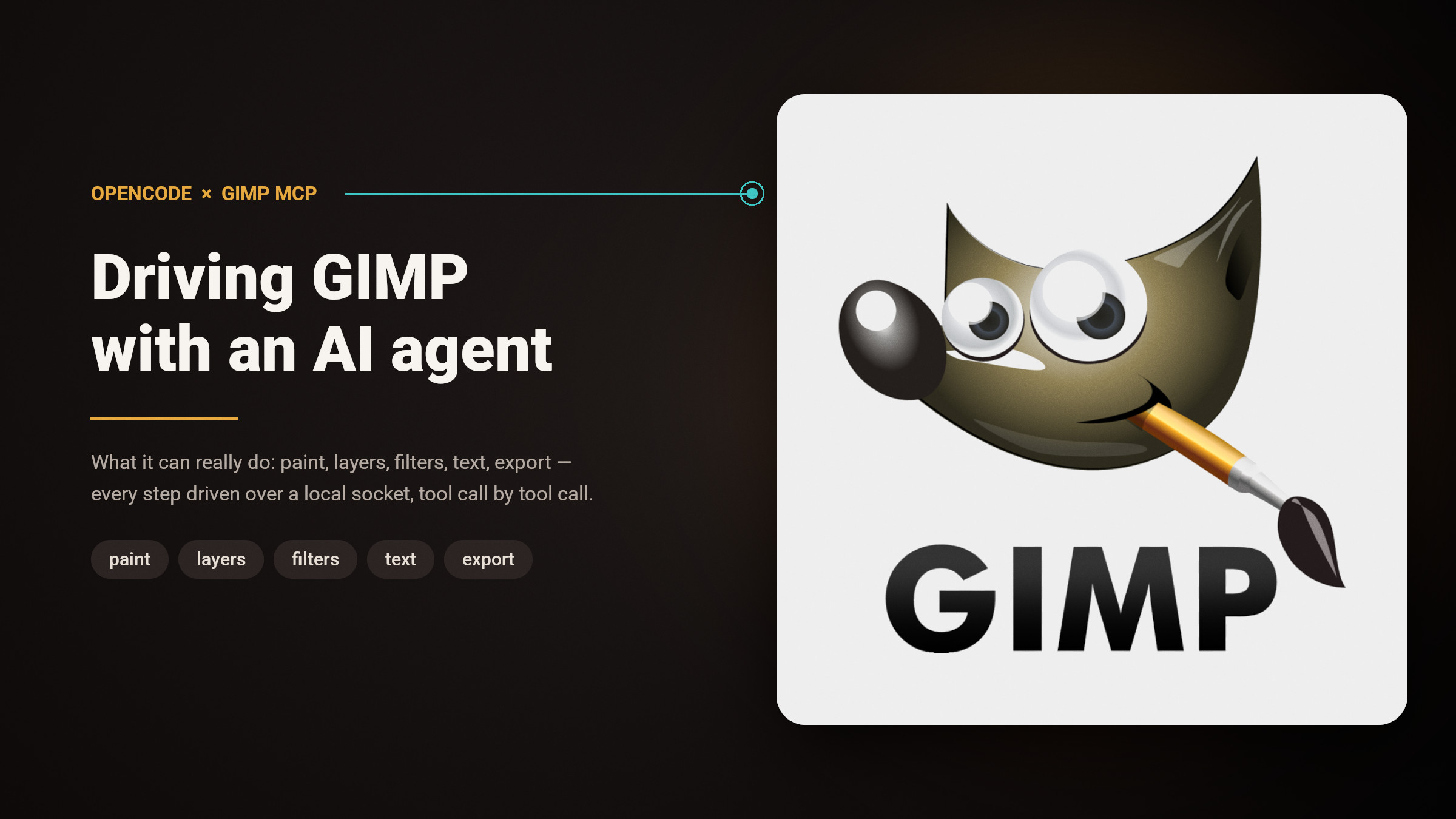
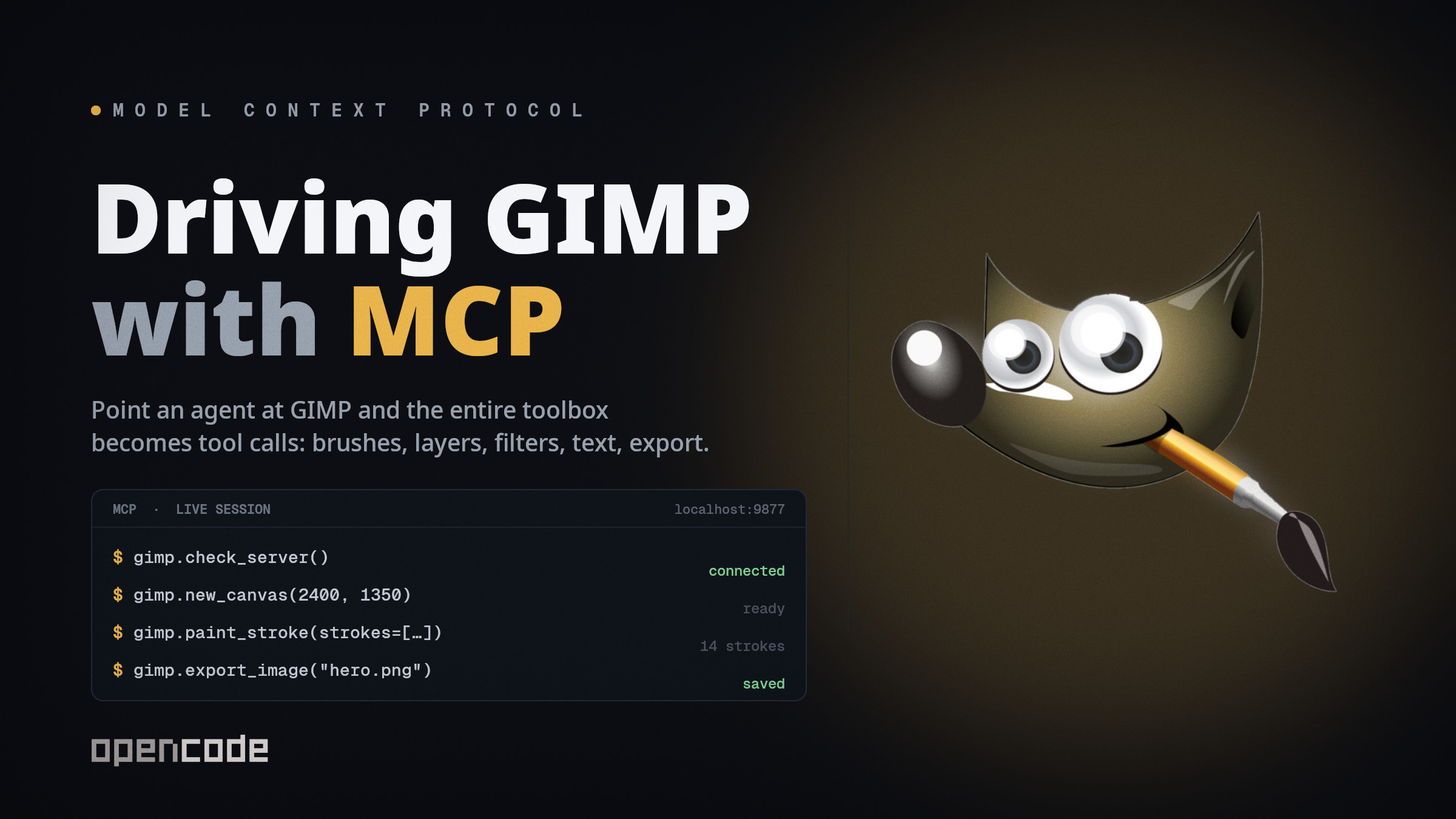
<p>Some weeks ago I came across someone who had created an <em>MCP</em> for the GIMP application. Since I have been using <em>ChatGPT</em> to generate the images for the other posts, and they are not what I tend to say that are good and/or professional (they are better and faster than I would do manually) I thought that this could be a good tool to explore.</p>

<p>After a quick research I discovered that there is more than one <em>GIMP MCP</em> available, and I found a list of them with some evaluation on this page: <a href="https://glama.ai/mcp/servers/integrations/gimp">Glama Best GIMP MCP Servers</a>. I don’t know the quality of this site, it is the first time that I have seen it.</p>

<p>With the objective of creating a new image and not only editing an existing one, I looked at the list and at the evaluation that it has regarding <em>license</em>, <em>quality</em>, <em>maintenance</em>, and the last update, and I selected this one to test: <a href="https://glama.ai/mcp/servers/tifyr/gimp3-mcp">gimp3-mcp by tifyr</a>.</p>

<p>It was updated for the last time 12 days ago, has an <em>A</em> rate for <em>license</em> and <em>maintenance</em>. The only item that does not have any rate is <em>quality</em>. It supports <em>GIMP 3.2</em>, and has the ability to create or open images, paint, edit, and export them, and to look at the image between the steps to check its work.</p>

<h2 id="installation-and-setup">Installation and setup</h2>

<p>To install it I followed the steps in the installation section of the <a href="https://github.com/tifyr/gimp3-mcp">GitHub repository</a>. The system that I’m using to test it has a <a href="https://voidlinux.org/">Void Linux</a> distribution, and I had no issue installing it.</p>

<p>To test this I used the <a href="https://opencode.ai/">OpenCode</a> harness, with its free tier of models, and the GIMP version is <em>3.2.6 rev 1</em>.</p>

<ul>
  <li>gimp3-mcp installation</li>
</ul>

<div class="language-bash highlighter-rouge"><div class="highlight"><pre class="highlight"><code>uvx gimp3-mcp install-plugin
</code></pre></div></div>

<ul>
  <li>OpenCode MCP configuration</li>
</ul>

<div class="language-json highlighter-rouge"><div class="highlight"><pre class="highlight"><code><span class="p">{</span><span class="w">
  </span><span class="nl">"mcp"</span><span class="p">:</span><span class="w"> </span><span class="p">{</span><span class="w">
    </span><span class="nl">"gimp"</span><span class="p">:</span><span class="w"> </span><span class="p">{</span><span class="w">
      </span><span class="nl">"type"</span><span class="p">:</span><span class="w"> </span><span class="s2">"local"</span><span class="p">,</span><span class="w">
      </span><span class="nl">"enabled"</span><span class="p">:</span><span class="w"> </span><span class="kc">true</span><span class="p">,</span><span class="w">
      </span><span class="nl">"command"</span><span class="p">:</span><span class="w"> </span><span class="p">[</span><span class="s2">"uvx"</span><span class="p">,</span><span class="w"> </span><span class="s2">"gimp3-mcp"</span><span class="p">]</span><span class="w">
    </span><span class="p">}</span><span class="w">
  </span><span class="p">}</span><span class="w">
</span><span class="p">}</span><span class="w">
</span></code></pre></div></div>

<h2 id="does-the-model-matter">Does the model matter?</h2>

<p>Regarding the models, I was able to use a model that does not have the image processing ability, but from the experiments that I have done, using an image-capable model tends to reduce the token consumption and to generate a better image. With this ability the model can retrieve the current image snapshot from the <em>MCP</em> and analyze it, without it, it needs to use Python scripting to analyze it.</p>

<h2 id="does-a-skill-help">Does a skill help?</h2>

<p>This <em>MCP</em> has some quirks that an agent needs to battle at the start. Using it with only the configuration on the harness is usable, but causes some issues when the agent starts the prompt execution. From my testing, the best solution that I found is to create a <em>skill</em> dedicated to it.</p>

<p>Using a <em>skill</em> will enable the agent/model to work with better performance during the image generation. I used a model to analyze the <code class="language-plaintext highlighter-rouge">gimp3-mcp</code>, and to plan and implement a skill to help with this. It created a bundle that, besides the <em>skill</em> file, has a <em>bash</em> and a <em>python</em> script to start <em>GIMP</em> and the <em>MCP</em>. If you want to take a look and test it, it is located here: <a href="https://codeberg.org/alexandrepascoal/opencode-skills/src/commit/ebe76b3f216986d12d2a07580e4907e006cf1c77/gimp-mcp">alexandrepascoal/opencode-skills</a>.</p>

<h2 id="results">Results</h2>

<p>I stored all the images that were generated, both to be able to compare and evaluate the results, and to have examples to show in this post. Below I list the result images with what was used to generate them.</p>

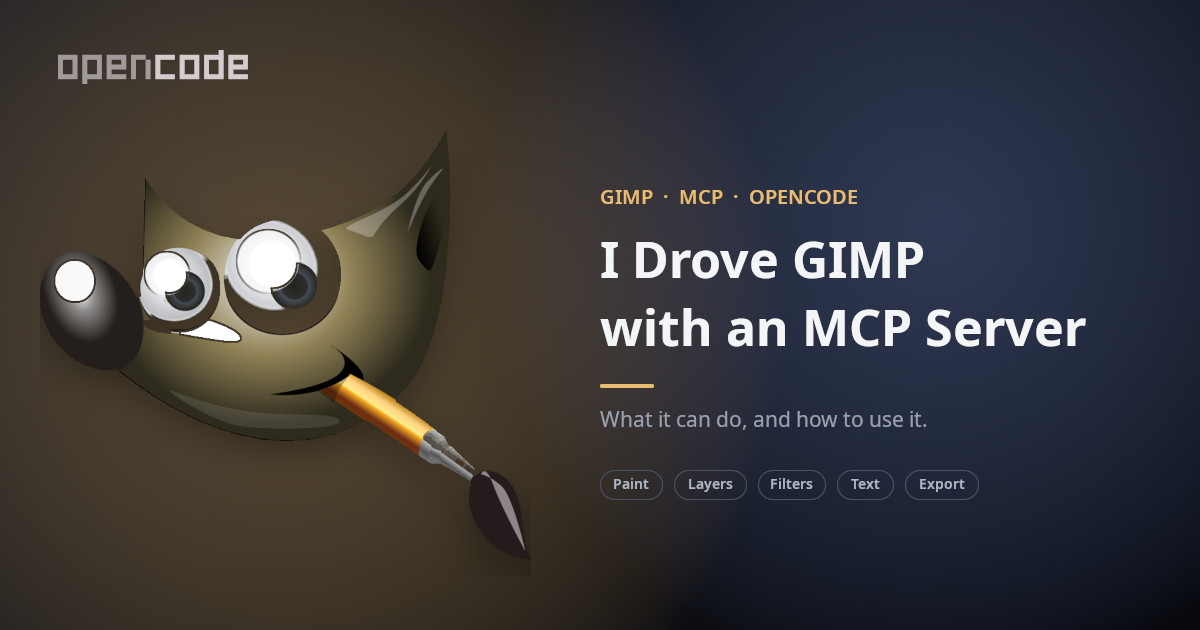
<p>The prompt used to generate the images was something like: <code class="language-plaintext highlighter-rouge">I need to create an hero image to a post document describing my experiment with a gimp mcp. Use the images available in the current folder.</code> The images that I had in the folder were the logos of <em>GIMP</em> and <em>OpenCode</em>.</p>

<table>
  <thead>
    <tr>
      <th>Attempt</th>
      <th>Vision model</th>
      <th>Base images</th>
      <th>Skill</th>
    </tr>
  </thead>
  <tbody>
    <tr>
      <td>Only the prompt</td>
      <td>no</td>
      <td>no</td>
      <td>no</td>
    </tr>
    <tr>
      <td>With base images</td>
      <td>no</td>
      <td>yes</td>
      <td>no</td>
    </tr>
    <tr>
      <td>With a vision model</td>
      <td>yes</td>
      <td>yes</td>
      <td>no</td>
    </tr>
    <tr>
      <td>With a skill</td>
      <td>yes</td>
      <td>yes</td>
      <td>yes</td>
    </tr>
  </tbody>
</table>

<p><img src="https://alexandrepasc.github.io/software-field-notes/assets/img/2026-09-28-gimp-mcp-experiment/just-prompt.png" alt="The bare-prompt attempt" />
<em>Only the prompt.</em> I installed the <em>MCP</em>, configured it in <em>OpenCode</em>, and prompted it with a model that does not have image processing. I can’t remember the prompt that I used for this one, but I think that the main issue was not giving any base images or style to the model.</p>

<p><img src="https://alexandrepasc.github.io/software-field-notes/assets/img/2026-09-28-gimp-mcp-experiment/with-base-images.jpg" alt="Logos added" />
<em>With base images.</em> I used the same model as the previous one, but this time I added to the folder the two logos (<em>GIMP</em> and <em>OpenCode</em>). The result is more professional, more sober, as it was made by an adult.</p>

<p><img src="https://alexandrepasc.github.io/software-field-notes/assets/img/2026-09-28-gimp-mcp-experiment/with-base-images-img-model.jpg" alt="Vision model" />
<em>With base images and a model with image processing.</em> At this point, in my opinion, the main difference is the speed and the token consumption, and the image is more professional than the previous one, all the components are legible, no problem for me using it.</p>

<p><img src="https://alexandrepasc.github.io/software-field-notes/assets/img/2026-09-28-gimp-mcp-experiment/with-base-images-img-model-skill.jpg" alt="With the skill" />
<em>With a skill.</em> In regards to this one, it’s professional and readable. The main point here is that it kept the speed and token consumption of the previous image, but there were no issues with starting <em>GIMP</em>, the <em>MCP</em>, or having failing API calls. It was like a breeze.</p>

<h2 id="limitations">Limitations</h2>

<p>One point that could be relevant in the way this could be implemented, is that the <em>MCP</em> needs to have <em>GIMP</em> started and it will be in headed mode. The application will be open on the computer that is being used, the image that is being generated/manipulated is displayed in the application, and the user could interact with it. This could limit the use of this in a server without a graphical interface, and the user being able to interact with it leaves room to interfere with the execution.</p>

<h2 id="wrapping-up">Wrapping up</h2>

<p>At the moment this is the only one that I have tested, related to <em>GIMP</em>. During the analysis that I requested from the tool, the model reported some issues with it. I’m not sure that they are valid or not, I need to take a look at the report and the code to be able to have a clear vision. But even with this I think that <code class="language-plaintext highlighter-rouge">gimp3-mcp by tifyr</code> is a tool that produces good results.</p>

<p>For now I think that I’ll keep using it and exploring what I can achieve with it. The skill that I created may need to be more curated, but it made a difference in the result.</p>

<p>The other available <em>MCPs</em> could be better, faster, with fewer issues. I could take a look into them in the future.</p>]]></content><author><name>Alexandre Pascoal</name></author><category term="tools" /><category term="ai" /><category term="mcp" /><category term="gimp" /><category term="linux" /><category term="tools" /><summary type="html"><![CDATA[Liking them or not, Large Language Models (LLMs), or as we normally call them the Artificial Intelligence (AI), are here to stay. In the IT they are being pushed to be used, and in some cases we can have the opinion that it is being taken too far, but the reality is that there is a lot of repetitive work that can be automated and accelerated with it.]]></summary><media:thumbnail xmlns:media="http://search.yahoo.com/mrss/" url="https://alexandrepasc.github.io/software-field-notes/2026-09-28-gimp-mcp-experiment/hero.jpg" /><media:content medium="image" url="https://alexandrepasc.github.io/software-field-notes/2026-09-28-gimp-mcp-experiment/hero.jpg" xmlns:media="http://search.yahoo.com/mrss/" /></entry><entry><title type="html">Quickshell Sway Modes Plugin</title><link href="https://alexandrepasc.github.io/software-field-notes/sway-modes-qml-plugin" rel="alternate" type="text/html" title="Quickshell Sway Modes Plugin" /><published>2026-08-30T00:00:00+00:00</published><updated>2026-08-30T00:00:00+00:00</updated><id>https://alexandrepasc.github.io/software-field-notes/sway-modes-qml-plugin</id><content type="html" xml:base="https://alexandrepasc.github.io/software-field-notes/sway-modes-qml-plugin"><![CDATA[<p>In the same spirit as my earlier post, <a href="https://alexandrepasc.github.io/software-field-notes/system-updates-qml-plugin">Quickshell System Updates Plugin</a>, I created another plugin to integrate the <a href="https://danklinux.com/">Dank Material Shell</a> and <a href="https://swaywm.org/">SwayWM</a>.</p>

<h2 id="problem">Problem</h2>

<p><em>Sway</em> has a keybind configuration that enables the user to create “layers”, similar to the <a href="https://www.vim.org/">vim</a> modes, or the layers present on a computer keyboard. This allows a key or key combination to have different actions depending on what mode is active.</p>

<p>As an example, I have the <code class="language-plaintext highlighter-rouge">CMD+M</code> to open the mail client in <strong>normal mode</strong> and have the same key combination to open the mastodon client in the <strong>social mode</strong>. To define this in <em>Sway</em>, and not expanding on this, we define the mode, the keybinds in it, and a keybind to activate it.</p>

<div class="language-ini highlighter-rouge"><div class="highlight"><pre class="highlight"><code><span class="err">mode</span> <span class="err">"print"</span> <span class="err">{</span>
	<span class="c"># Print Area
</span>	<span class="err">bindsym</span> <span class="err">A</span> <span class="err">mode</span> <span class="err">"default"</span> <span class="c">; exec dms screenshot # Print Area
</span>	<span class="c"># Print Screen
</span>	<span class="err">bindsym</span> <span class="err">S</span> <span class="err">mode</span> <span class="err">"default"</span> <span class="c">; exec dms screenshot full # Print Screen
</span>	<span class="c"># Print Window
</span>	<span class="err">bindsym</span> <span class="err">W</span> <span class="err">mode</span> <span class="err">"default"</span> <span class="c">; exec dms screenshot window # Print Window
</span>	<span class="c"># Exit Print Mode
</span>	<span class="err">bindsym</span> <span class="err">Escape</span> <span class="err">mode</span> <span class="err">"default"</span> <span class="c">; # Exit Print Mode
</span><span class="err">}</span>
<span class="c"># Open Print Mode
</span><span class="err">bindsym</span> <span class="err">Print</span> <span class="err">mode</span> <span class="err">"print"</span> <span class="c">; # Open Print Mode
</span></code></pre></div></div>

<p>The problem with this is that when using the <em>OS</em> we have no way of knowing what mode we’re in — and if our cats like to walk across the keyboard, we’re in for a surprise :)</p>

<h2 id="solution">Solution</h2>

<p>In <em>DMS</em> there is a plugin that displays the mode that is active but it only works for <em>Hyprland</em>, and since I’m using <em>sway</em>… you know what I did.</p>

<p>I created a plugin to display the name of the active mode in the <em>Dank Bar</em>, using the theme style. It only displays the name of the mode if the active is not the <em>default</em>.</p>

<p><img src="https://alexandrepasc.github.io/software-field-notes/assets/img/2026-08-30-sway-modes-qml-plugin/bar-icon.png" alt="Bar icon" /></p>

<p><img src="https://alexandrepasc.github.io/software-field-notes/assets/img/2026-08-30-sway-modes-qml-plugin/bar-item.png" alt="Bar item" /></p>

<h2 id="resolution">Resolution</h2>

<p><em>Sway</em> has the binding state available using the command <code class="language-plaintext highlighter-rouge">swaymsg -t get_binding_state</code>, which returns a <em>json</em> with the name of the active state.</p>

<div class="language-json highlighter-rouge"><div class="highlight"><pre class="highlight"><code><span class="err">swaymsg</span><span class="w"> </span><span class="err">-t</span><span class="w"> </span><span class="err">get_binding_state</span><span class="w">
</span><span class="p">{</span><span class="w">
  </span><span class="nl">"name"</span><span class="p">:</span><span class="w"> </span><span class="s2">"default"</span><span class="w">
</span><span class="p">}</span><span class="w">
</span></code></pre></div></div>

<p>I used the <code class="language-plaintext highlighter-rouge">Process QtObject</code> to execute the <code class="language-plaintext highlighter-rouge">swaymsg</code> call and retrieve the response. The <a href="https://quickshell.org/docs/v0.3.1/types/Quickshell.Io/Process/">Process</a> has a list of properties from where I used the <code class="language-plaintext highlighter-rouge">id</code>, <code class="language-plaintext highlighter-rouge">command</code>, and <code class="language-plaintext highlighter-rouge">stdout</code>.</p>

<p>With the <code class="language-plaintext highlighter-rouge">command</code> I execute the command and with the <code class="language-plaintext highlighter-rouge">stdout</code> retrieved the response, the <code class="language-plaintext highlighter-rouge">id</code> is the identification of the <code class="language-plaintext highlighter-rouge">Process</code> component so we can call it from other code components.</p>

<p>I used the <a href="https://quickshell.org/docs/v0.3.1/types/Quickshell.Io/SplitParser/?highlight=splitparser">SplitParser</a> to read the streamed <code class="language-plaintext highlighter-rouge">stdout</code> line by line and extract the value of the <code class="language-plaintext highlighter-rouge">name</code> field from the returned JSON (not my brightest work), giving me the name of the current active <em>mode</em>.</p>

<p>I also created two global variables to store the name of the <em>mode</em> and a flag that controls whether it should be displayed (hidden when the mode is <code class="language-plaintext highlighter-rouge">default</code>). These variables are updated in the <code class="language-plaintext highlighter-rouge">Process</code> and consumed by the <code class="language-plaintext highlighter-rouge">horizontalBarPill</code> to show or hide the name.</p>

<p>I’m not sure whether the binding state could be monitored another way, but I used the <a href="https://doc.qt.io/qt-6/qml-qtqml-timer.html">Timer</a> from <em>QtQuick</em> to execute the <code class="language-plaintext highlighter-rouge">Process</code> every <code class="language-plaintext highlighter-rouge">200</code> milliseconds.</p>

<h2 id="conclusion">Conclusion</h2>

<p>As in the other post, my knowledge of <a href="https://quickshell.org/">Quickshell</a> is not the best. But the ability to create these types of applications gives me some curiosity to play with the framework every time I find these kinds of cases, and to improve the apps that I build.</p>

<p>This plugin has room to be improved… when retrieving the data from the <code class="language-plaintext highlighter-rouge">swaymsg</code>, I’m pretty sure that if I invest some time it could be better developed. Another point that I missed and didn’t take the time to implement is the <code class="language-plaintext highlighter-rouge">verticalBarPill</code> — at the moment the plugin only displays the text horizontally, so it won’t be visible in a vertical bar.</p>

<p>If you are interested in using it, improving it, or just taking a look at it, you can find it in the <em>Codeberg</em> repo <a href="https://codeberg.org/alexandrepascoal/quickshell-sway-modes-plugin">quickshell-sway-modes-plugin</a>.</p>

<p>If you find an issue with it, or have some improvement to it, feel free to ping me or make a proposal in the repo.</p>]]></content><author><name>Alexandre Pascoal</name></author><category term="development" /><category term="linux" /><category term="qml" /><category term="quickshell" /><category term="dms" /><category term="sway" /><summary type="html"><![CDATA[In the same spirit as my earlier post, Quickshell System Updates Plugin, I created another plugin to integrate the Dank Material Shell and SwayWM.]]></summary><media:thumbnail xmlns:media="http://search.yahoo.com/mrss/" url="https://alexandrepasc.github.io/software-field-notes/2026-08-30-sway-modes-qml-plugin/main-img.jpg" /><media:content medium="image" url="https://alexandrepasc.github.io/software-field-notes/2026-08-30-sway-modes-qml-plugin/main-img.jpg" xmlns:media="http://search.yahoo.com/mrss/" /></entry><entry><title type="html">Quickshell System Updates Plugin</title><link href="https://alexandrepasc.github.io/software-field-notes/system-updates-qml-plugin" rel="alternate" type="text/html" title="Quickshell System Updates Plugin" /><published>2026-08-23T00:00:00+00:00</published><updated>2026-08-23T00:00:00+00:00</updated><id>https://alexandrepasc.github.io/software-field-notes/system-updates-qml-plugin</id><content type="html" xml:base="https://alexandrepasc.github.io/software-field-notes/system-updates-qml-plugin"><![CDATA[<p>I’ve been using GNU/Linux (to not offend anyone) operating systems for more than 10 years, and have been working to move from <a href="https://www.gnome.org/">Gnome</a> to a window manager. I’ve been experimenting with <a href="https://hypr.land/">Hyprland</a> and <a href="https://swaywm.org/">SwayWM</a>, and decided to focus on <em>Sway</em>. Since I don’t have the mental bandwidth to build the “Desktop Environment” from the ground up, I selected <a href="https://danklinux.com/">Dank Material Shell</a> to wrap the functionalities that I’m accustomed to in a Desktop Environment (DE).</p>

<h2 id="problem">Problem</h2>

<p>The <em>Dank Material Shell</em> has some plugins, official and 3rd party, available from the <em>Plugins</em> section in the <em>Settings</em> component. I noticed the existence of a plugin that displays the number of available updates on the <em>dnf</em> and <em>flatpak</em> package managers, this is very useful as it allows to know how many updates are pending and decide when to apply them.</p>

<p>Obviously this plugin is useful for a person that uses the <em>Fedora</em> distribution, but useless on Debian-based distributions, Void, or Arch.</p>

<p>Another issue is that in some cases the number of updates available does not match the real updates number. Later on I found that this issue might be caused by the way some <em>flatpak</em> packages are presented, some do not have the same number of properties and this could be the cause for the issue with the number in this plugin.</p>

<h2 id="solution">Solution</h2>

<p>At the moment, both my main and work computers run Fedora, so the package managers weren’t a problem, just an itch in my brain. The missing available updates number was the same type of itch…</p>

<p>With all these itches, I thought that I could try to build a plugin of the same type that supports the other GNU/Linux distributions and with the correct updates number.</p>

<h2 id="resolution">Resolution</h2>

<p>I built a plugin that can be added to the <em>Dank Bar</em> (the bar that the <em>DMS</em> has). That will list the updates available from <em>dnf</em>, <em>flatpak</em>, <em>xbps</em>, <em>apt</em>, and <em>pacman</em> if they exist in the system.</p>

<p><img src="https://alexandrepasc.github.io/software-field-notes/assets/img/2026-08-23-system-updates-qml-plugin/bar-icon.png" alt="Bar icon" /></p>

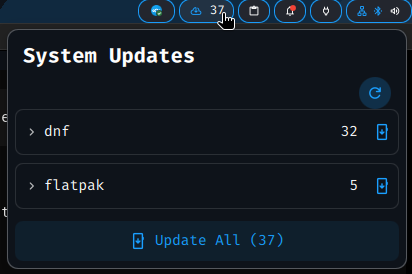
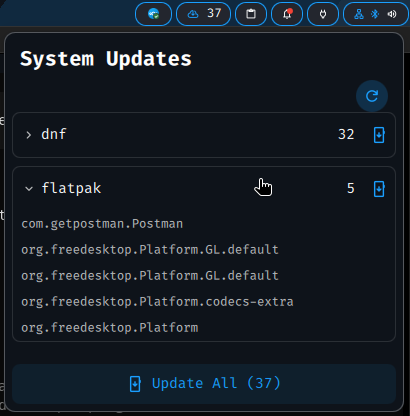
<p>The component, on click, will display a <em>popout</em> with the list of the available package managers that have available updates, an option to fetch the updates manually, the ability to run updates for each package manager individually, and even a button to execute all available updates at once.</p>

<p><img src="https://alexandrepasc.github.io/software-field-notes/assets/img/2026-08-23-system-updates-qml-plugin/popout-open.png" alt="Popout open" /></p>

<p>Besides the actions available in the <em>popout</em>, it also displays the list of the packages that have new versions available. It also has the ability to use the keyboard to navigate the <em>popout</em> component, giving a better integration to the <em>Window Managers</em> philosophy of the keyboard being the main input to navigate. Also has the ability to toggle the <em>popout</em> so this can be mapped into a key/key combination, giving one more integration to the keyboard.</p>

<p><img src="https://alexandrepasc.github.io/software-field-notes/assets/img/2026-08-23-system-updates-qml-plugin/popout-open-list.png" alt="Popout listing upgradable packages" /></p>

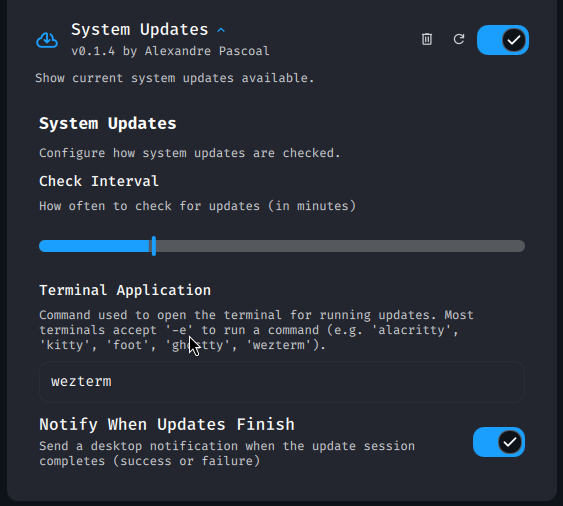
<p>The plugin has some configurations that could be changed in the <em>DMS</em> settings. They are the time in minutes at which the plugin will execute the updates check; the option to select the terminal that will be used to execute the update; and the option to activate/deactivate the notifications regarding a successful or failed update execution.</p>

<p><img src="https://alexandrepasc.github.io/software-field-notes/assets/img/2026-08-23-system-updates-qml-plugin/settings.png" alt="Plugin settings panel in DMS settings" /></p>

<h2 id="conclusion">Conclusion</h2>

<p>The way I built this plugin gave me an awkward feeling, not being comfortable with the <a href="https://quickshell.org/">Quickshell</a> framework and developing outside my area of expertise.</p>

<p>The decision to build it this way was mostly due to the fact that learning QML would not give me any advantage for my work, as I don’t see any personal drive to learn it.</p>

<p>So I created the plugin with the name <em>System Updates</em>, and it is available in the <em>Codeberg</em> repo <a href="https://codeberg.org/alexandrepascoal/quickshell-system-updates-plugin">quickshell-system-updates-plugin</a>.</p>

<p>I think that this little application is useful to myself, as well as anyone else who wants to perform system updates on a Linux-based machine with minimal effort. And the ability to build something useful this quickly is amazing!</p>

<p><strong>PS:</strong></p>

<ul>
  <li>This tool will have some issues, even with me forcing the existence of tests. So if you use it and find any problem please report it and/or propose corrections.</li>
  <li>Regarding the package managers, the current implementation has been tested with <em>dnf</em> and <em>flatpak</em>, and less extensively with <em>xbps</em>. The other managers <em>apt</em> and <em>pacman</em> do not have any test, so I would appreciate if someone could take a look at them and share their experience.</li>
  <li>There are some managers that this tool does not support, from the back of my mind <em>yay</em> and <em>snap</em>, if there is any interest in supporting these tools please comment.</li>
</ul>]]></content><author><name>Alexandre Pascoal</name></author><category term="development" /><category term="linux" /><category term="qml" /><category term="quickshell" /><category term="dms" /><summary type="html"><![CDATA[I’ve been using GNU/Linux (to not offend anyone) operating systems for more than 10 years, and have been working to move from Gnome to a window manager. I’ve been experimenting with Hyprland and SwayWM, and decided to focus on Sway. Since I don’t have the mental bandwidth to build the “Desktop Environment” from the ground up, I selected Dank Material Shell to wrap the functionalities that I’m accustomed to in a Desktop Environment (DE).]]></summary><media:thumbnail xmlns:media="http://search.yahoo.com/mrss/" url="https://alexandrepasc.github.io/software-field-notes/2026-08-23-system-updates-qml-plugin/main-img.jpg" /><media:content medium="image" url="https://alexandrepasc.github.io/software-field-notes/2026-08-23-system-updates-qml-plugin/main-img.jpg" xmlns:media="http://search.yahoo.com/mrss/" /></entry></feed>