 Software Field Notes
Quickshell System Updates Plugin
Written on August 23rd, 2026 by Alexandre Pascoal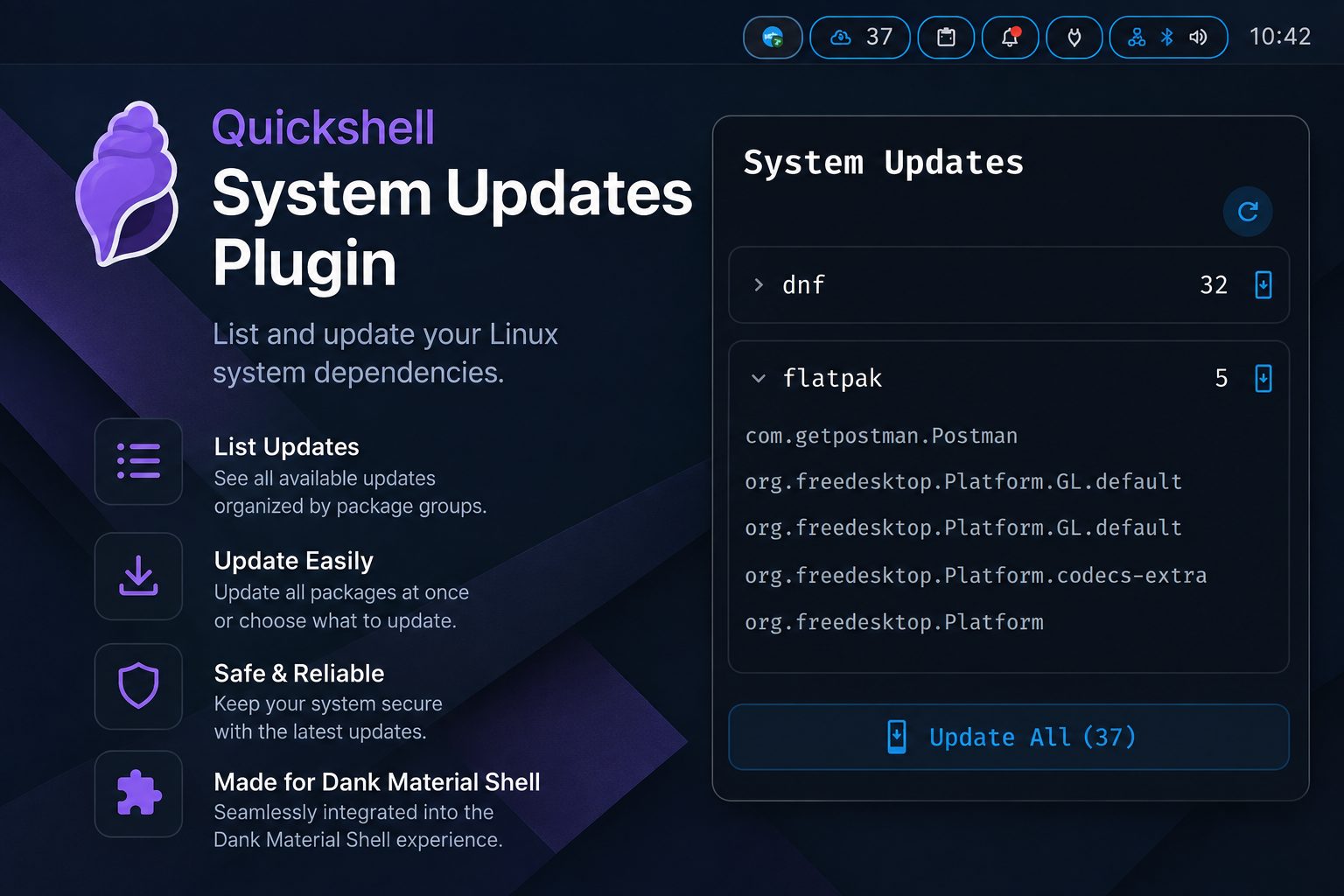
I’ve been using GNU/Linux (to not offend anyone) operating systems for more than 10 years, and have been working to move from Gnome to a window manager. I’ve been experimenting with Hyprland and SwayWM, and decided to focus on Sway. Since I don’t have the mental bandwidth to build the “Desktop Environment” from the ground up, I selected Dank Material Shell to wrap the functionalities that I’m accustomed to in a Desktop Environment (DE).
Problem
The Dank Material Shell has some plugins, official and 3rd party, available from the Plugins section in the Settings component. I noticed the existence of a plugin that displays the number of available updates on the dnf and flatpak package managers, this is very useful as it allows to know how many updates are pending and decide when to apply them.
Obviously this plugin is useful for a person that uses the Fedora distribution, but useless on Debian-based distributions, Void, or Arch.
Another issue is that in some cases the number of updates available does not match the real updates number. Later on I found that this issue might be caused by the way some flatpak packages are presented, some do not have the same number of properties and this could be the cause for the issue with the number in this plugin.
Solution
At the moment, both my main and work computers run Fedora, so the package managers weren’t a problem, just an itch in my brain. The missing available updates number was the same type of itch…
With all these itches, I thought that I could try to build a plugin of the same type that supports the other GNU/Linux distributions and with the correct updates number.
Resolution
I built a plugin that can be added to the Dank Bar (the bar that the DMS has). That will list the updates available from dnf, flatpak, xbps, apt, and pacman if they exist in the system.

The component, on click, will display a popout with the list of the available package managers that have available updates, an option to fetch the updates manually, the ability to run updates for each package manager individually, and even a button to execute all available updates at once.
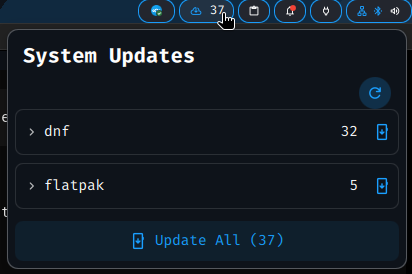
Besides the actions available in the popout, it also displays the list of the packages that have new versions available. It also has the ability to use the keyboard to navigate the popout component, giving a better integration to the Window Managers philosophy of the keyboard being the main input to navigate. Also has the ability to toggle the popout so this can be mapped into a key/key combination, giving one more integration to the keyboard.
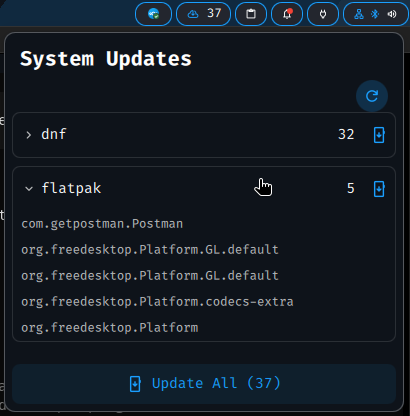
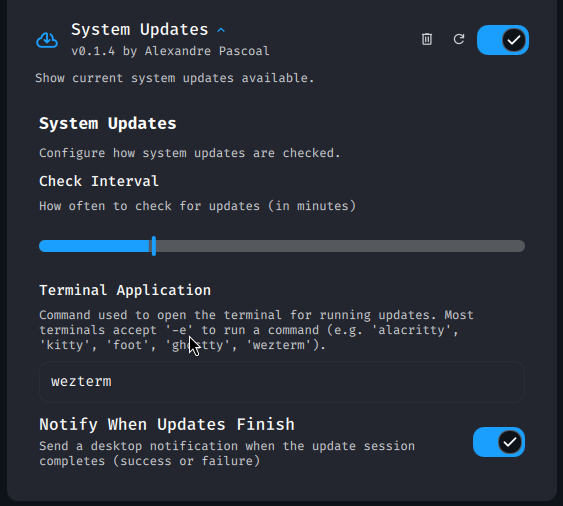
The plugin has some configurations that could be changed in the DMS settings. They are the time in minutes at which the plugin will execute the updates check; the option to select the terminal that will be used to execute the update; and the option to activate/deactivate the notifications regarding a successful or failed update execution.
Conclusion
The way I built this plugin gave me an awkward feeling, not being comfortable with the Quickshell framework and developing outside my area of expertise.
The decision to build it this way was mostly due to the fact that learning QML would not give me any advantage for my work, as I don’t see any personal drive to learn it.
So I created the plugin with the name System Updates, and it is available in the Codeberg repo quickshell-system-updates-plugin.
I think that this little application is useful to myself, as well as anyone else who wants to perform system updates on a Linux-based machine with minimal effort. And the ability to build something useful this quickly is amazing!
PS:
- This tool will have some issues, even with me forcing the existence of tests. So if you use it and find any problem please report it and/or propose corrections.
- Regarding the package managers, the current implementation has been tested with dnf and flatpak, and less extensively with xbps. The other managers apt and pacman do not have any test, so I would appreciate if someone could take a look at them and share their experience.
- There are some managers that this tool does not support, from the back of my mind yay and snap, if there is any interest in supporting these tools please comment.